
Unlock any Tesco iPhone – Certified, Safe & Permanent
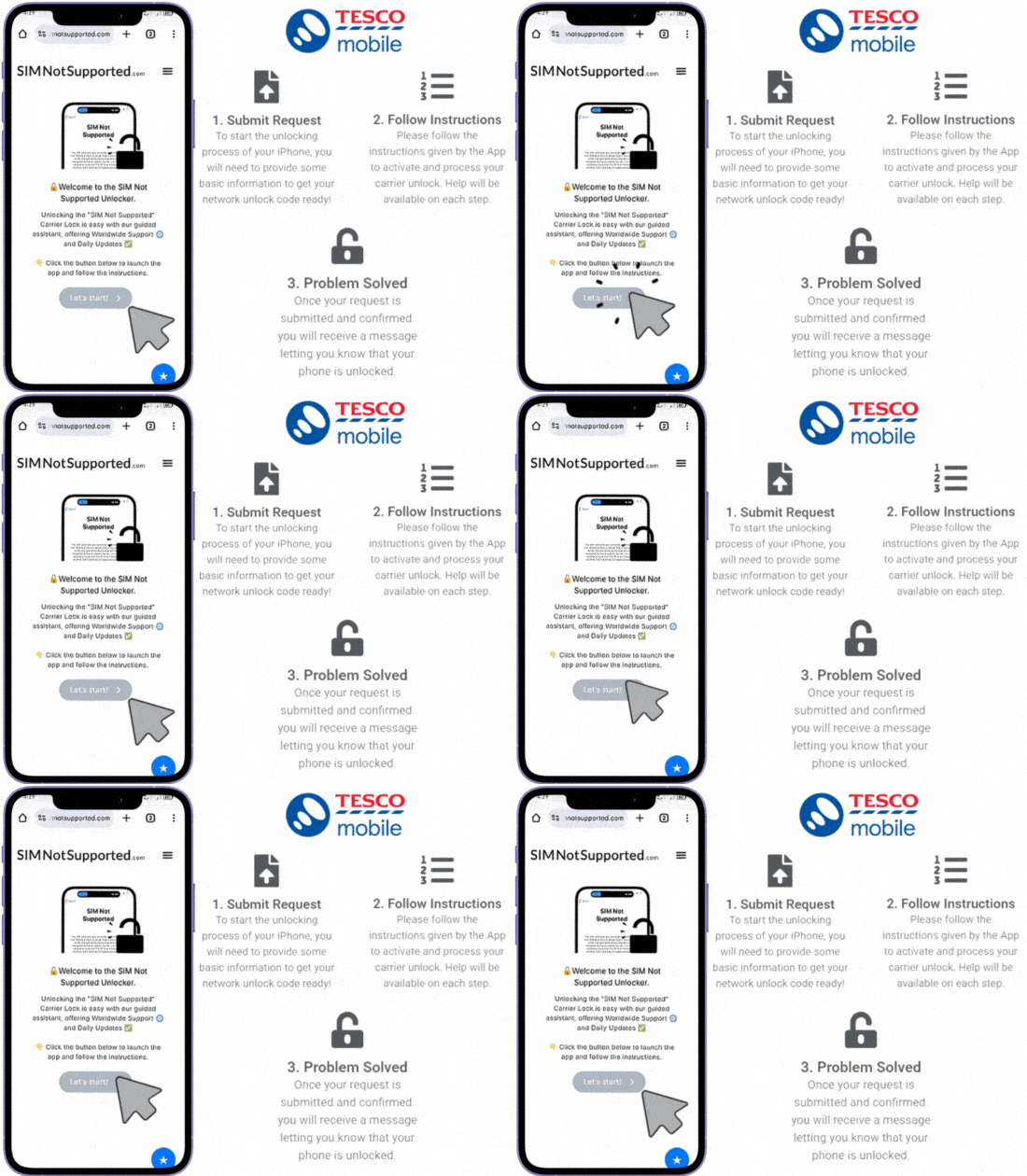
You’re a Click Away from Carrier Freedom!
Unlock your Tesco Mobile iPhone with SIMNotSupported’s specialized IMEI service, which removes SIM lock restrictions on all Apple devices! No jailbreak, no Apple ID access, and no Tesco approval required. Just submit your IMEI and enjoy instant compatibility with any local or international carrier. Click on the button below and start your iPhone unlock right now!
✓ No Long Waits
✓ No Complicated Steps
✓ Guaranteed Results
Dealing with a mobile phone locked to the Tesco Mobile network that doesn’t let you switch carriers or use the phone internationally? Don’t worry, this issue is more common than you think, and there are multiple solutions you can explore to decide which one is best for your specific situation! Keep reading because, in this guide, SIMNotSupported will break down the 5 best-known unlock methods by process, time, price, and requirements. Let’s dive into the principal ways there are to unlock Tesco Mobile phones by IMEI nowadays!
Top 5 Methods to Unlock Tesco Mobile Phones by IMEI
There’s no one-size-fits-all solution when it comes to unlocking a Tesco Mobile phone, but some methods stand out, which is why we’ll explore five of the most popular ways to unlock your device. We’ll outline how each method works, how long it takes, the expected cost, what you need to qualify or get started, and whether that option is safe or not. So, keep reading and learn with us all there is to know to get your device working with another network once and for all!
Request an Unlock directly to Tesco
Hire an Expert Unlock Technician
Use a Bypass App (APK or IPA File)
Root/Jailbreak the Locked Device
Use SIMNotSupported's Service
What is the Best Method to Unlock Tesco Mobile Devices?
While each unlocking method has its pros and cons, the best method for most users in 2026 is definitely using SIMNotSupported’s SIM network unlock service. It’s fast, works with nearly all iPhones, and doesn’t require account access, contracts, or store visits, not to mention that, unlike rooting or downloading risky apps, it’s completely safe and remote. Tesco’s official unlock is a solid option if your account is eligible, but for convenience and reliability, SIMNotSupported comes out on top.
Step-by-Step Guide to use SIMNotSupported: Simple Steps & Quick Process

Unlocking your phone with us is very quick and simple! All you need to do is submit your unlocking request, and then we’ll get to the job of permanently unlocking it in a couple of hours. For that, visit SIMNotSupported.com, click on “Start Unlock” and “Let’s Start!”, and provide us with the phone info we need to get it unlocked, which includes your name, the iPhone model, its IMEI, and your email. After that, simply follow the prompts to activate the order and pay the corresponding unlock fee of up to $3, and that’s it, we’ll free your iOS device from Tesco Mobile today to use any SIM card!
SIMNotSupported: #1 Unlock Tool for any Tesco iPhone
If you’re using an iPhone locked to Tesco Mobile, SIMNotSupported is the most trusted and widely used tool available. It doesn’t require a physical unlock code or software download, and best of all, the process is completely remote for your phone to remain fully intact, under warranty, and safe from errors. In addition, even if your handset is not locked to Tesco but to Sky Mobile, Vodafone, EE, O2, or any other network operator, we’ll get it unlocked and ready to use with any network in no time!