
Unlock any Vodafone iPhone – Certified, Safe & Permanent
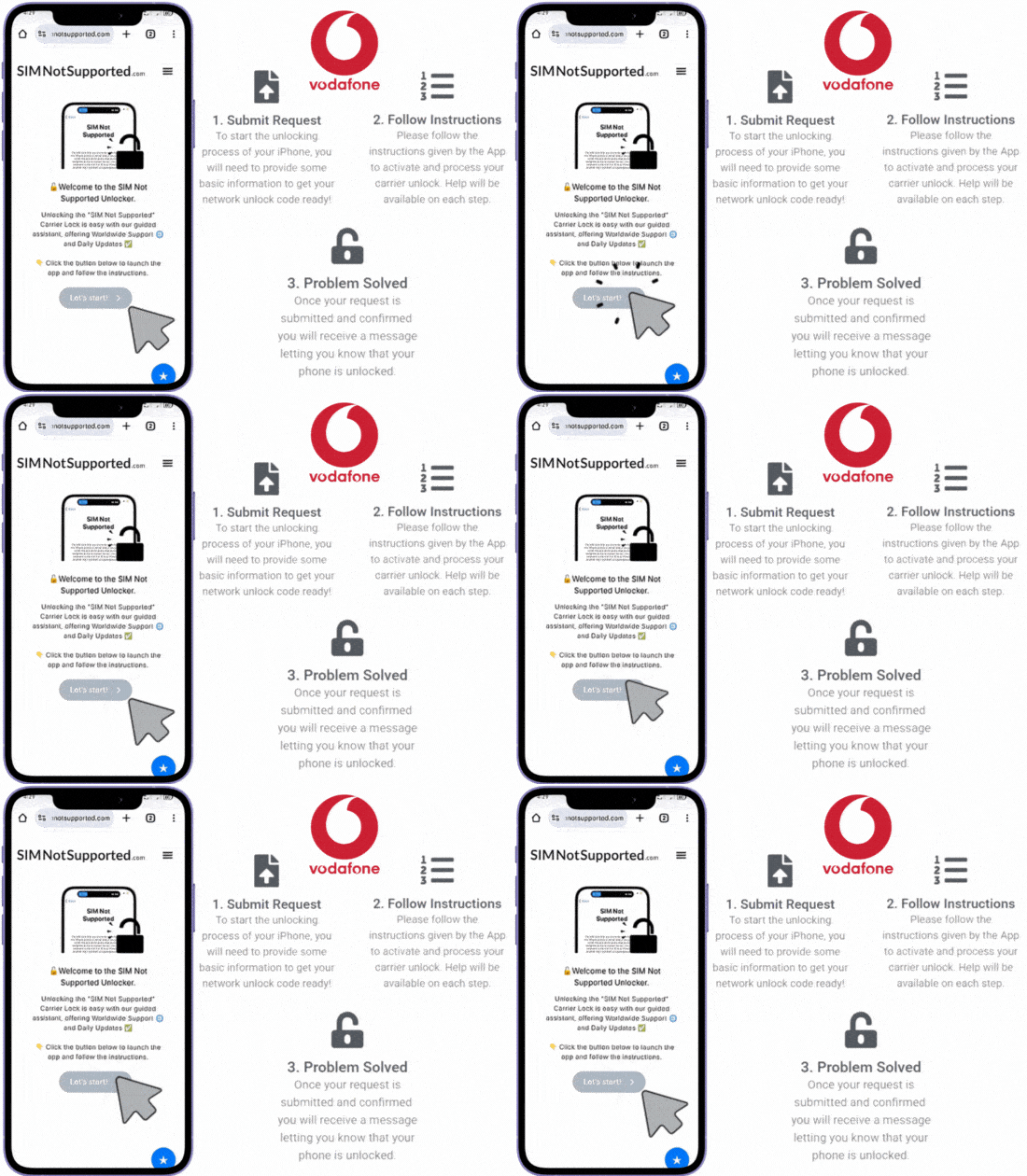
You’re a Click Away from Carrier Freedom!
Tired of your iPhone being locked to one network? Unlock your Vodafone UK iPhone using SIMNotSupported’s verified IMEI-based method, compatible with all iOS versions and models! This guaranteed solution ensures permanent carrier unlocking in less than an hour, and best of all, for only $2 per unlocked device. Get started now and use our automated unlock solution!
✓ No Long Waits
✓ No Complicated Steps
✓ Guaranteed Results
A SIM-locked phone can be frustrating, especially when you’re ready to switch carriers, travel abroad and use it with a local network there, or gift your device to someone using a different network. However, there’s no need to worry because, in this guide, we’ll walk you through the most reliable ways to unlock your Vodafone device, including the official method through Vodafone UK and a faster, hassle-free alternative called SIMNotSupported. Both options work with your device’s IMEI number, but one may be quicker and easier depending on your situation, so let’s take a look at how to unlock Vodafone by IMEI and what method suits you best!
How to Unlock your Phone directly with Vodafone UK

Vodafone UK gives users the option to unlock their phones through an online form on their website, but you must meet certain conditions for them to process your request. Your phone must have been active on the Vodafone network, it must not be reported as lost, stolen, or blacklisted, and your account must be in good standing, among other policies. If you think you meet the carrier’s requirements and want to begin the unlock, all you need is your phone’s IMEI number and some basic account details to submit your request as follows:
Step 1: Check the Boxes
Step 2: Fill in the Form
Step 3: Wait for Approval


Before submitting the unlock request, Vodafone will ask you to confirm a few things. These include making sure the phone was originally sold by Vodafone, that it’s been used on their network, its specific brand, and that you’re not trying to unlock a stolen or lost device. We’d recommend that you take a moment to verify these basic requirements before going further, because this step determines whether your application gets processed or denied.
Once you confirm that you meet the eligibility rules, the next step is to complete the online unlock request form. For that, you’ll need to provide your phone’s IMEI, your Vodafone mobile number, the phone manufacturer (Samsung, iPhone, etc.), model, and your email address. Make sure the information is accurate because errors can cause delays or cancellations, so it’s best to double-check before you go ahead and submit the request to the network provider.
After submitting the form, Vodafone will review your request and usually get back to you within 7 to 10 working days, which is what the unlocking process normally takes them. If everything checks out, you’ll receive an email confirming that your phone is now unlocked or with instructions to complete the process, because some phones require an unlock code. If your request is denied, it may be because your phone hasn’t met the usage period, has a pending balance, or something like that.
Can I unlock my Phone to other Networks Myself?
Of course, you don’t necessarily have to go through Vodafone to unlock your phone because, in case they deny your request, you can also use a trusted online service like SIMNotSupported. With our online platform, you only need your IMEI number to permanently remove this lock from your device, all through a remote, safe, and much faster method than the official route.
SIMNotSupported’s solution is especially helpful if you don’t meet Vodafone’s requirements, if you bought your phone second-hand, or if you simply don’t have the time to wait the days they take. Our certified platform specializes in Apple devices (so it’s compatible with any iPhone), doesn’t void your phone warranty, and is perfectly safe and easy to use!
Vodafone Unlock vs. SIMNotSupported’s Unlocking Service
- Requirements: Vodafone only unlocks devices that meet specific conditions like being active on their network, having the account up to date, not having any blacklist reports, etc. However, with SIMNotSupported, there are no requirements, and all you need is your phone’s IMEI number, which makes us a more practical alternative.
- Cost: Vodafone unlocks are free if your account is in good standing; however, if your phone is still under contract or has unpaid bills, you’ll need to pay to settle your balance first. With us, the unlock fee is upfront and transparent with no hidden costs or surprise payments, and of course, your account status doesn’t really matter, so there’s no need to take care of that at the moment.
- Speed: Vodafone can take up to 10 business days to process an unlock request, which is super time-consuming and not really useful if you need an immediate unlock. On the other hand, SIMNotSupported offers a much faster turnaround, often unlocking iPhones in under an hour, which makes us ideal for when you need to switch carriers urgently.

Does SIMNotSupported use Network Unlock Codes (NUC)?
Not really. Here at SIMNotSupported, we don’t use unlock codes at all; instead, we use a certified method that works remotely using your phone’s IMEI number and advanced processing systems. That means there’s no need to enter a code, connect to a computer, or worry about damaging your phone, because all we do is open the iPhone’s cellular bands from our remote servers, and that’s it. Everything is done safely and efficiently over the internet, and your phone becomes permanently unlocked to work with any SIM card from any network around the world without the need for any NUC.
Steps to Unlock your Phone from Vodafone with SIMNotSupported
Unlocking your Vodafone phone with us is incredibly easy, so even if you’ve never done it before, you won’t have any issues following the step-by-step instructions. The very first thing to do is visit SIMNotSupported.com and click on the “Start Unlock” button, then click again on the “Let’s Start!” button, which will take you to a quick form. In there, we’ll ask you to provide the following information:
- Your name.
- Your specific Apple device model (of the iPhone locked to Vodafone).
- The IMEI number of the device you wish to unlock (your iPhone).
- A valid email address (make sure you have access to the account).

After that, we’ll ask you to activate your order and make a $2 payment, which covers the complete and permanent unlock of your handset. Then, it’ll be a matter of waiting a couple of minutes while we get your phone unlocked from Vodafone for you to use with another network provider or use it internationally.
Need some Help and Support Unlocking your Vodafone? Contact us!
SIMNotSupported is definitely one of the best unlocking services on the market, and not only because we offer a safe and effective solution, but because we have a specialized team ready in case you need help. If you have any questions on how to unlock your Vodafone using our platform, feel free to click on the “Contact Us” tab that you’ll find on the menu bar at the top of the page, and let us know. Also, if you already submitted your request and started the unlock process, remember that we’re also available via live chat, but either way, rest assured, a representative will always be available to help.